
WEBSITE MODERNISATION
Improve your patient journey and reduce your patient enquiries
A modern website that is easier for patients to use and easier for your team to manage.
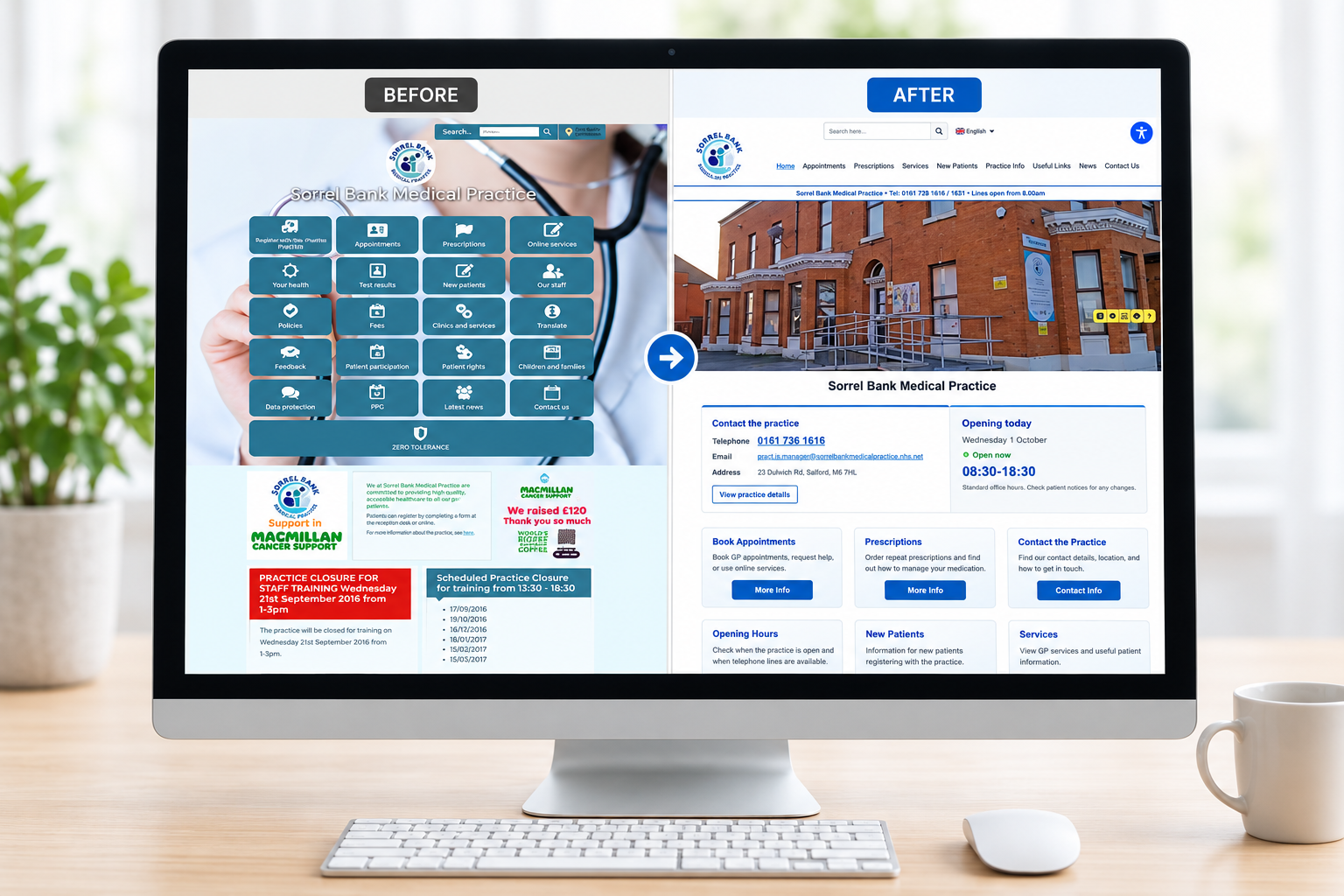
We refresh your existing GP practice or healthcare website, making appointments, prescriptions, opening times and practice information easier to find.
Need to move your website?
We transfer your existing pages, documents and key practice information into a cleaner, more accessible website. We make the process simple and organised.
Website modernisation
A clean, professional design that works on desktop, tablet and mobile devices.
Patient-friendly navigation
Appointments, prescriptions, opening hours and contact details are easier to find.
Reduce routine calls
Clear information helps patients find answers online, reducing repeated enquiries to reception.
Migration handled for you
We move your content, documents, news and important pages into the new website structure.
Easy staff updates
Your team can update key information without technical knowledge or complicated tools.
Hosting included
Secure UK hosting, SSL, daily backups, software updates and ongoing monitoring.
Accessibility focused
Improved readability, structure, contrast and navigation help more patients use your website.
Practice notices
Share closures, training days, urgent updates and service changes quickly.
Ongoing support
Updates, advice, maintenance and friendly UK-based help after launch.
What we offer
- Modern NHS-style website design
- Content migration from your existing website
- Secure UK hosting and SSL certificate
- Daily backups and software updates
- Opening hours and contact sections
- Appointment and prescription information
- Patient document downloads
- Practice news and announcements
- Emergency notice options
- Mobile-friendly page layouts
- Easy editing for practice staff
- Ongoing support from our UK team
Switching is easy
We review your website, organise the new structure and guide you through each step.